
Product-embedded forms
Build hosted forms that feel like part of your product.
Design forms in the visual builder, match your brand, and embed them in your site without iframes — then send every submission to email, Slack, or your API.
Watch demo — coming soon
- Visual builder with live preview
- Starter templates
- Native embed — no iframe
- After submit — webhooks, Slack, logs
Build
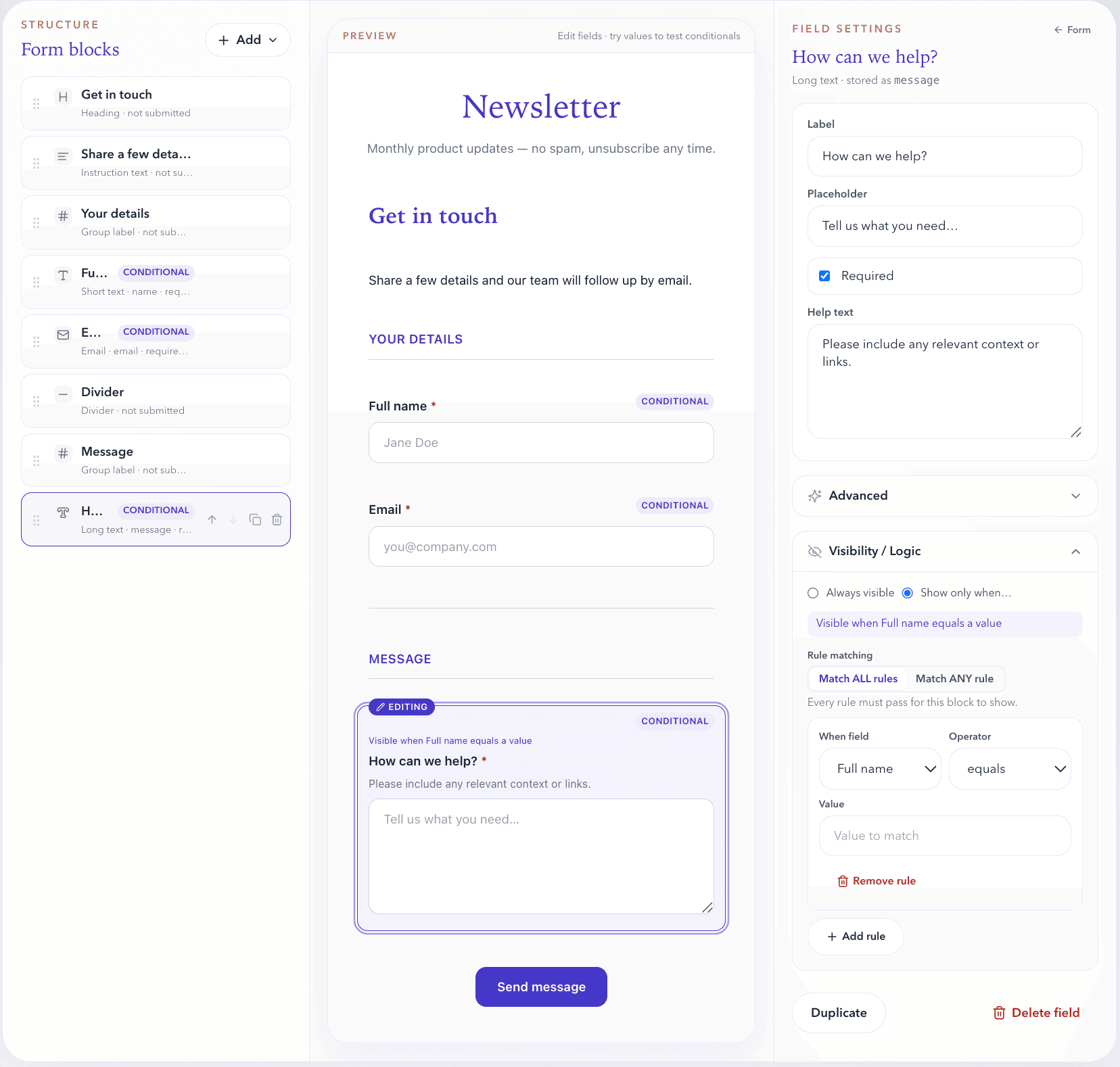
A visual builder for forms you'll actually ship
Structure your form, preview as you go, and publish — without fighting a locked-in widget UI.
Drag and drop
Reorder fields in the structure panel. Stable field identity when you save.
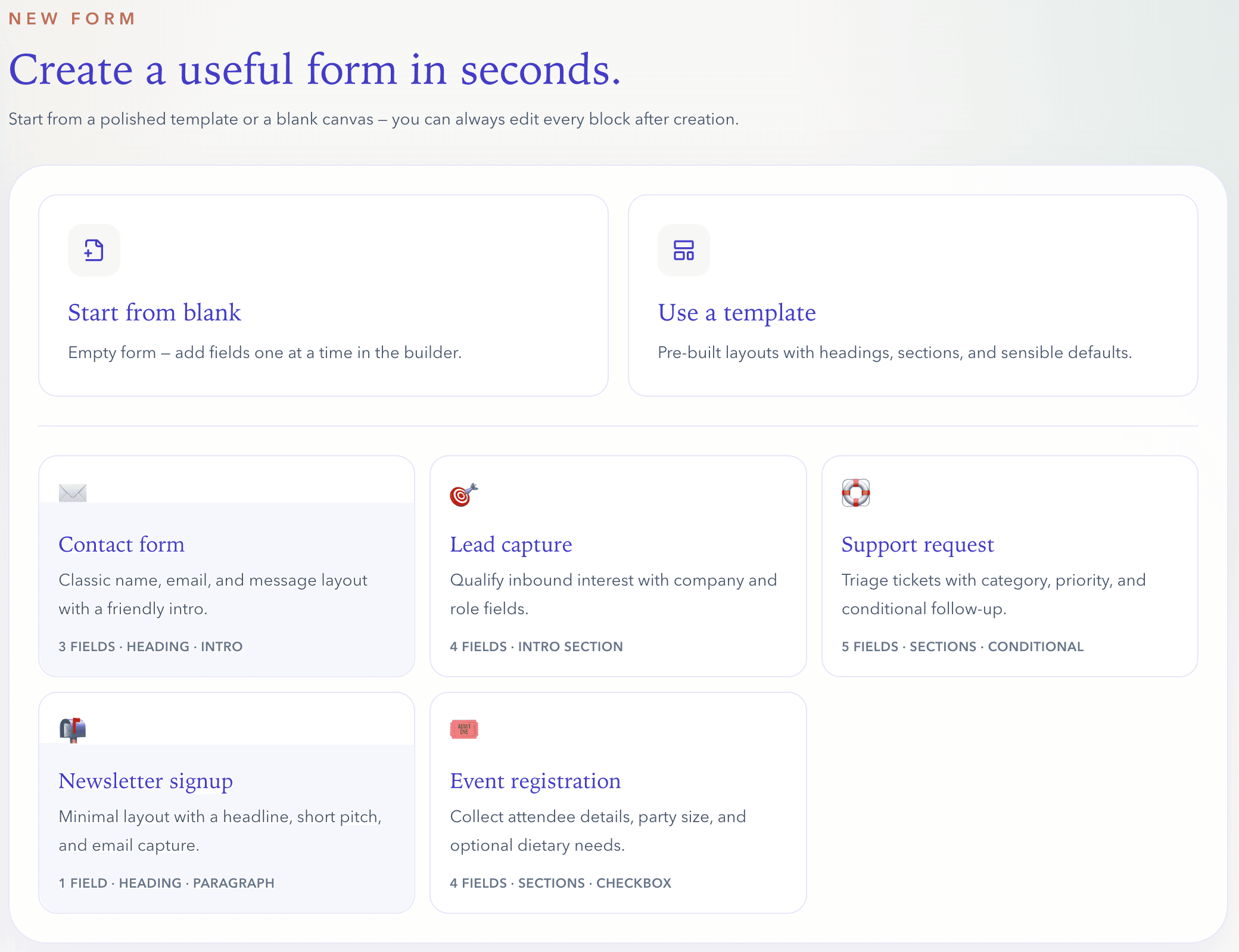
Starter templates
Contact, lead capture, support request, newsletter, and event registration — start from blank when you prefer.
Structural content blocks
Headings, instruction text, dividers, and section labels — layout content that is not submitted as field values.
Live preview
See changes instantly in the builder, or open full-page preview to test a real submission.
Conditional visibility rules let you show or hide fields based on answers — covered in Smart forms below.
Smart forms
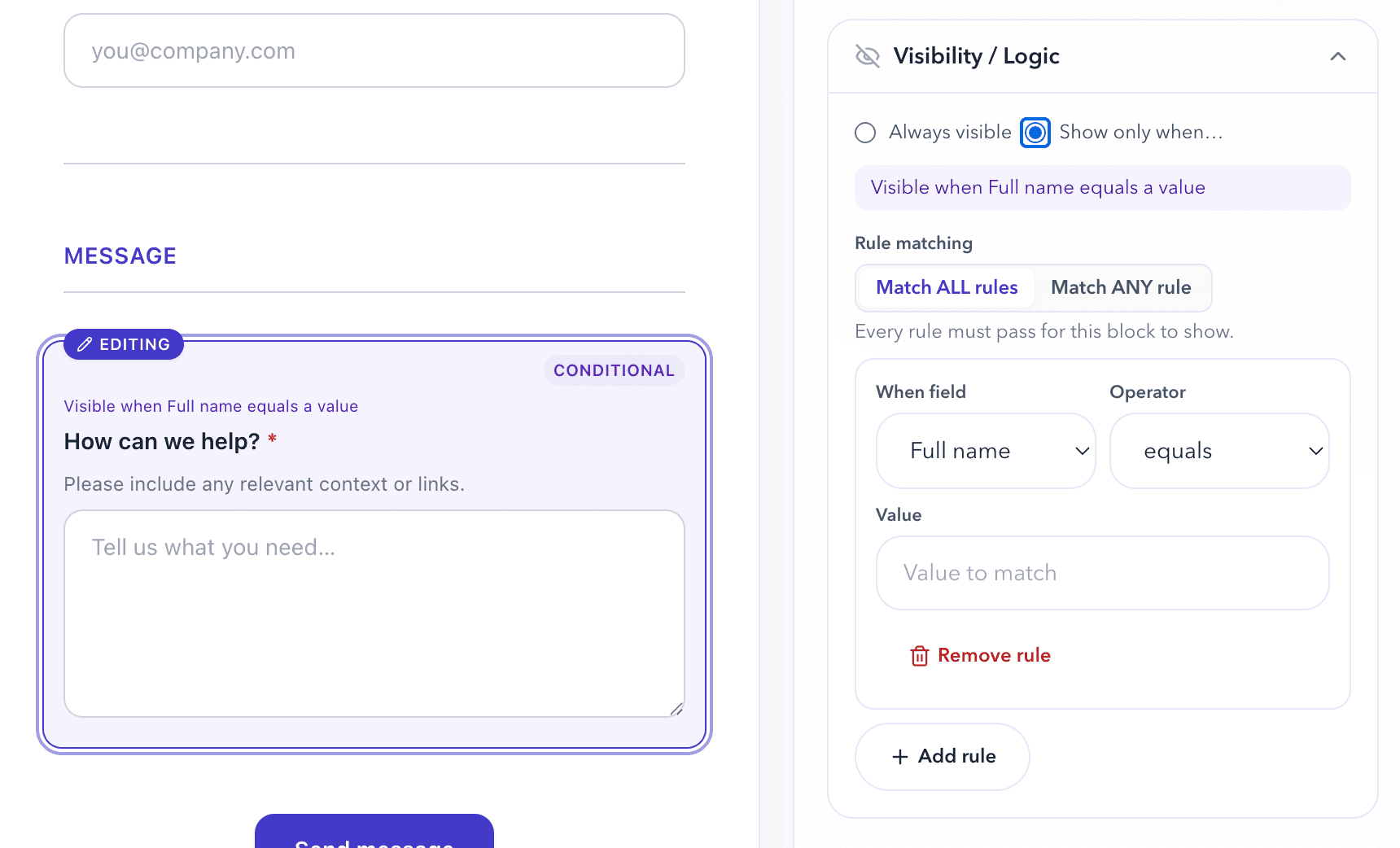
Show the right fields at the right time
Field visibility rules keep forms short and relevant — evaluated in the builder preview, public embed, and on submit.
- Show only when… — set conditions per field in the inspector
- Operators: equals, does not equal, contains, is empty, is not empty
- Match ALL or Match ANY — combine rules the way your form needs
- Test values in preview to confirm fields appear and hide as expected
Field visibility only — not multi-step flows, branching wizards, or per-action routing for webhooks.
After submit
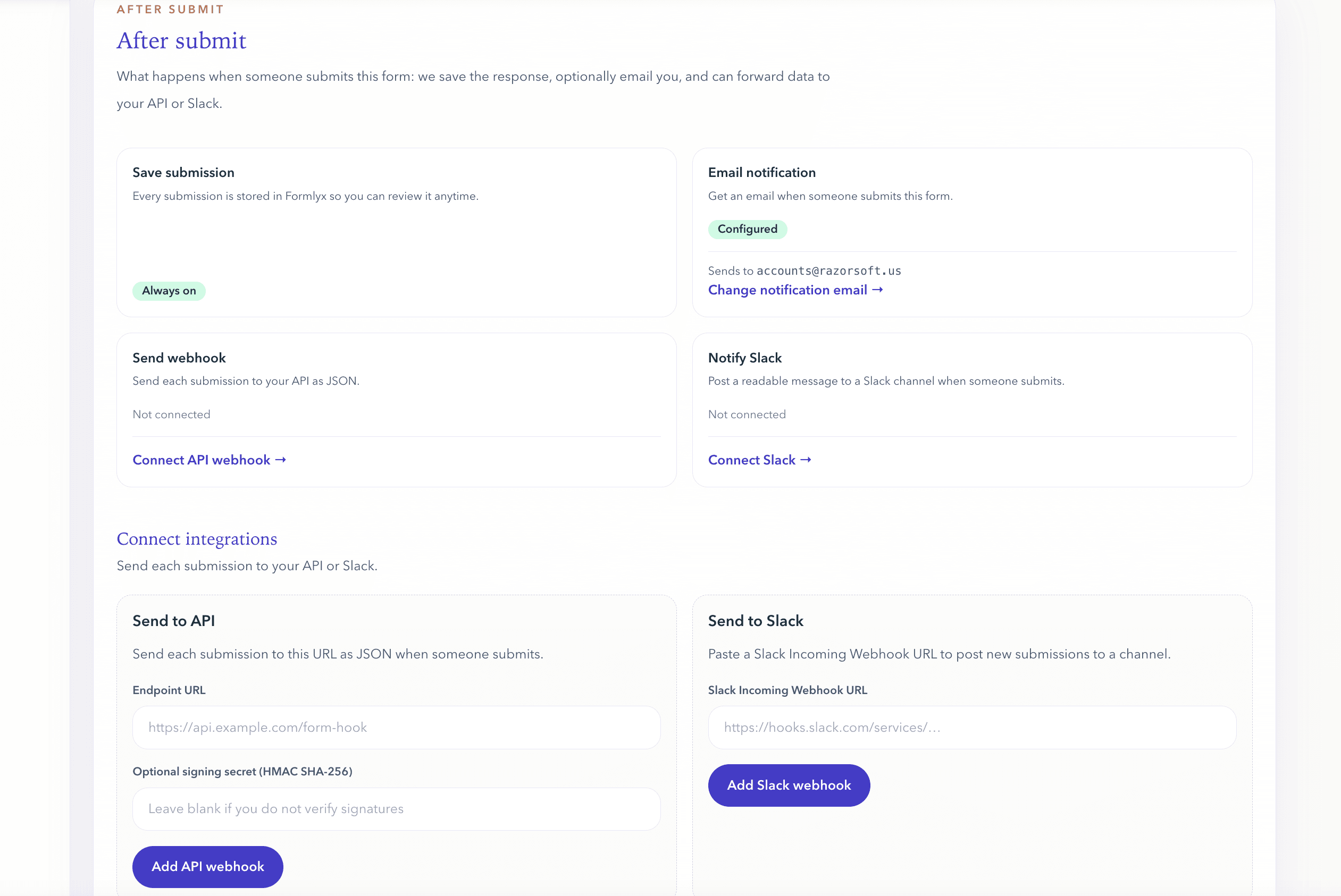
Every submission goes somewhere useful
Connect webhooks and Slack, get email notifications, and see exactly what was delivered — with retries when something fails.
- Send submissions to your API with webhooks
- Notify Slack with Incoming Webhook URLs you paste in the dashboard — no Slack OAuth required
- Email notifications and optional auto-reply to submitters
- Retry failed webhook or Slack deliveries without resubmitting the form
- Per-submission delivery logs — success, failure, response codes
Works with
Slack · Webhooks · Email · Your API
Slack posts use Incoming Webhook URLs — not a native Slack app install (yet).
Match My Site: forms that fit your brand
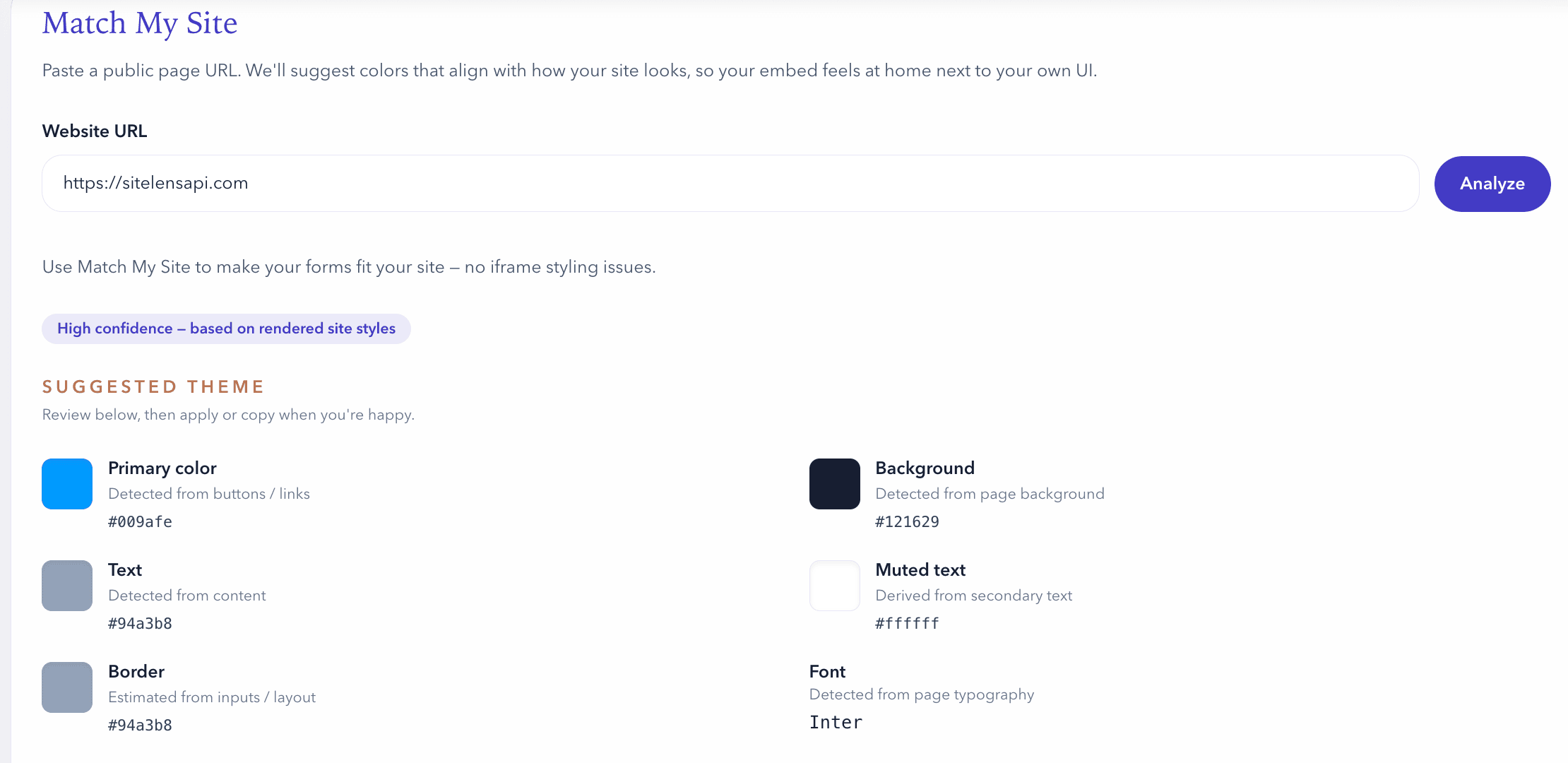
Formlyx can suggest a theme based on your website — it helps match colors and surfaces to what you already ship. Results vary by site; think of it as a starting point, not a pixel-perfect clone.
Paste a URL and get a proposed palette: primary color, background, body and muted text, borders, and a sensible button treatment. Apply in the builder, then embed without iframes using your own CSS when you need full control.
Suggestions are heuristic — always preview and adjust before you publish.
Embed
Native in your page — no iframe lock-in
When you are ready to ship, mount the form with a script, style it with your design system, or post plain HTML to the hosted endpoint.
Your page owns the markup
Forms render in your DOM. Use Tailwind or your design system with data-class-* hooks — not a locked-in widget skin.
Flexible integration
JS embed, HTML POST without JavaScript, or API access — same submissions, your integration story.
<div id="formlyx-root" data-form-id="FORM_ID"></div>
<script src="https://www.formlyx.com/embed.js" defer></script><div
id="formlyx-root"
data-form-id="FORM_ID"
data-theme="unstyled"
data-class-input="w-full rounded-lg border border-neutral-300 px-3 py-2"
data-class-button="inline-flex rounded-full bg-indigo-600 px-5 py-2 text-white"
></div>More than a widget on your page
Build in the dashboard, embed natively in your product, and automate what happens after someone hits submit — without shipping form infrastructure from scratch.
- Visual builder with templates and live preview
- No iframe lock-in — host-controlled styling
- Field visibility rules for dynamic forms
- Webhooks, Slack, email, and delivery logs
Pricing
Start free. Upgrade when volume grows.
Honest limits for MVPs — scale when your forms drive real traffic.